
BrickLink API
In this tab, you connect BLAPI-Core with your BrickLink shop. This connection is absolutely mandatory so that the software can retrieve your inventory, generate price suggestions, and later verify uploads.
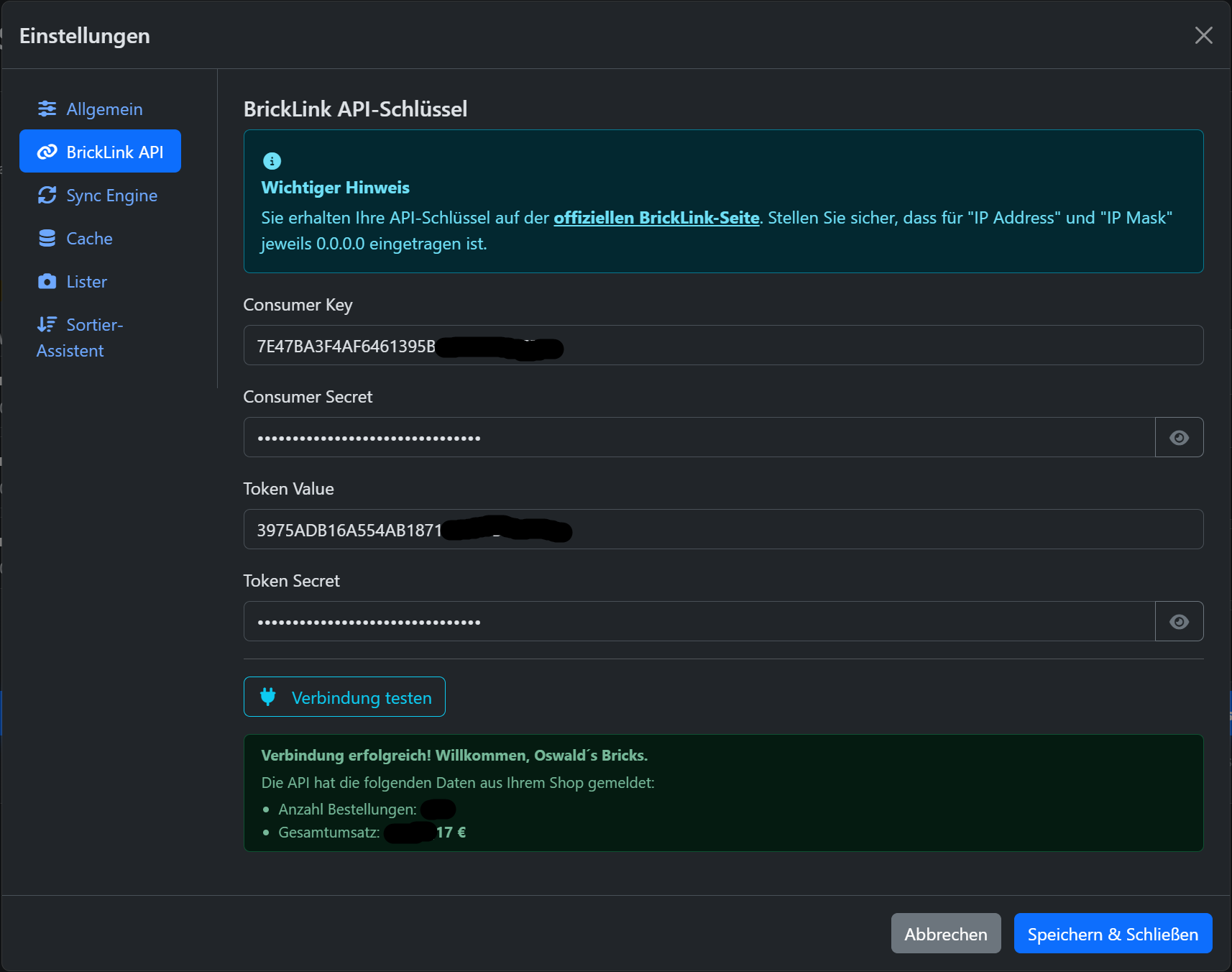
1. Generate API Keys
If you do not yet have API keys, click on the link to the official BrickLink page in the blue info box (or navigate on BrickLink to My Store ➔ API).
There you must agree to the Terms of Use and create a new API connection ("Connection").
Common source of error: The IP address
2. Enter Keys
Copy the four generated strings exactly into the corresponding fields:
- Consumer Key
- Consumer Secret
- Token Value
- Token Secret
(Tip: BLAPI-Core is smart enough to automatically remove accidentally copied spaces at the beginning or end of the keys when pasting!)
3. Test Connection
Before you save, make sure to click the Test Connection button.
The app will now establish a test connection to the BrickLink servers and attempt to retrieve basic data from your shop. If everything is set up correctly, you will receive a green success message. The app will welcome you with your shop name and display your order count and total revenue for confirmation.