
General Settings
In the settings (accessible via the gear icon in the bottom left or via the keyboard shortcut Ctrl + , or Cmd + , on Mac), you configure the basic behavior of BLAPI-Core.
We will go through all tabs from top to bottom in this and the following chapters.
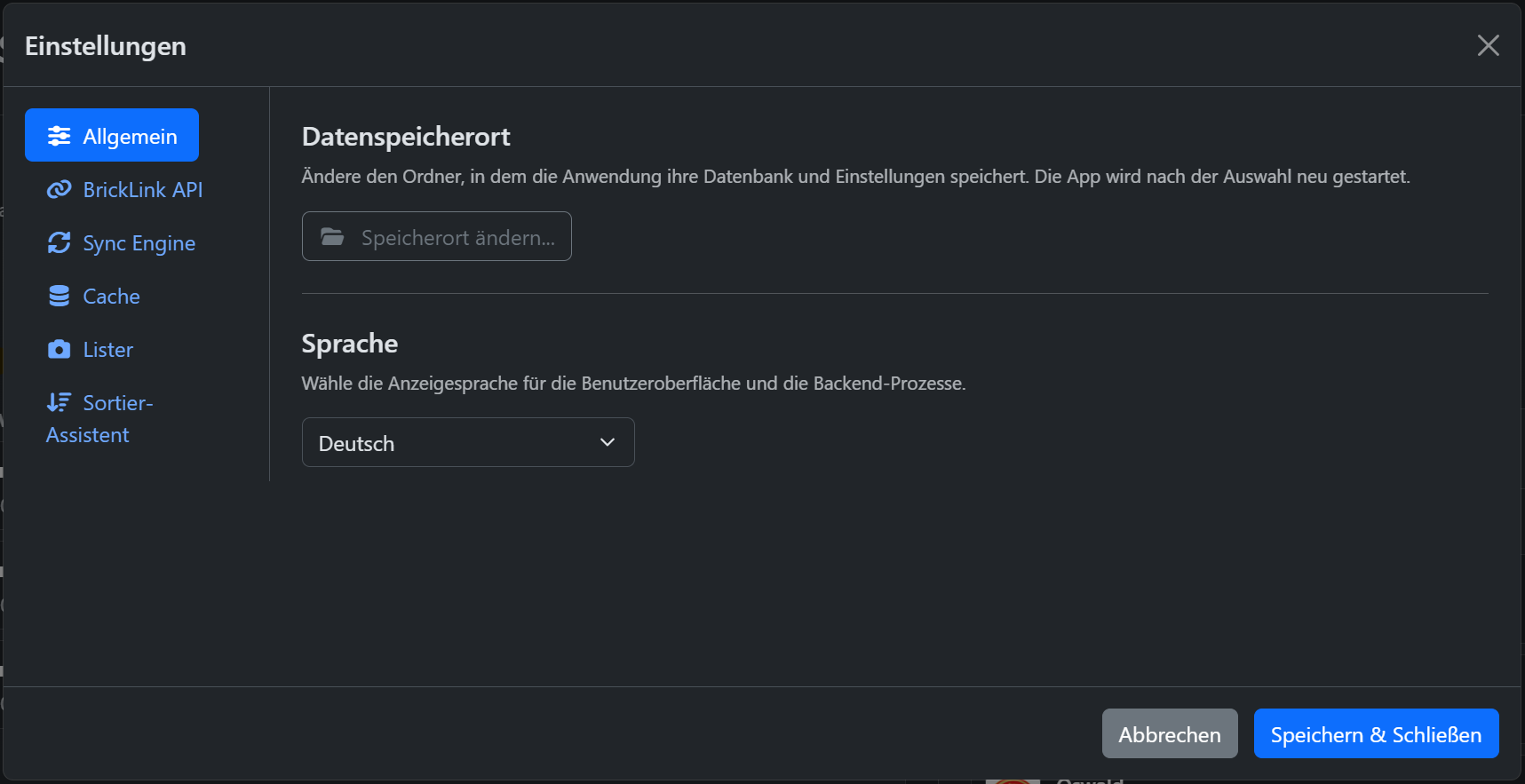
Data Storage Location
By default, BLAPI-Core stores all data (including the local SQLite database and your configurations) in a hidden AppData folder of your operating system.
Using the Change location... button, you can move this directory to any location.
When is this useful?
- Storage space: If your main hard drive is full, you can offload the database to another drive.
- Easy backups: You can place the storage location in a cloud sync folder (like iCloud, Dropbox, or OneDrive), for example.
Warning regarding cloud folders!
Note: If you change the storage location, the app copies your previous data to the new location and then restarts automatically.
Language
Here you set the display language for the user interface and the backend processes.
Currently, BLAPI-Core supports:
- German
- English
- French
When you change the language via the dropdown menu, the interface is immediately updated without a restart.